app.finhost.io/settings
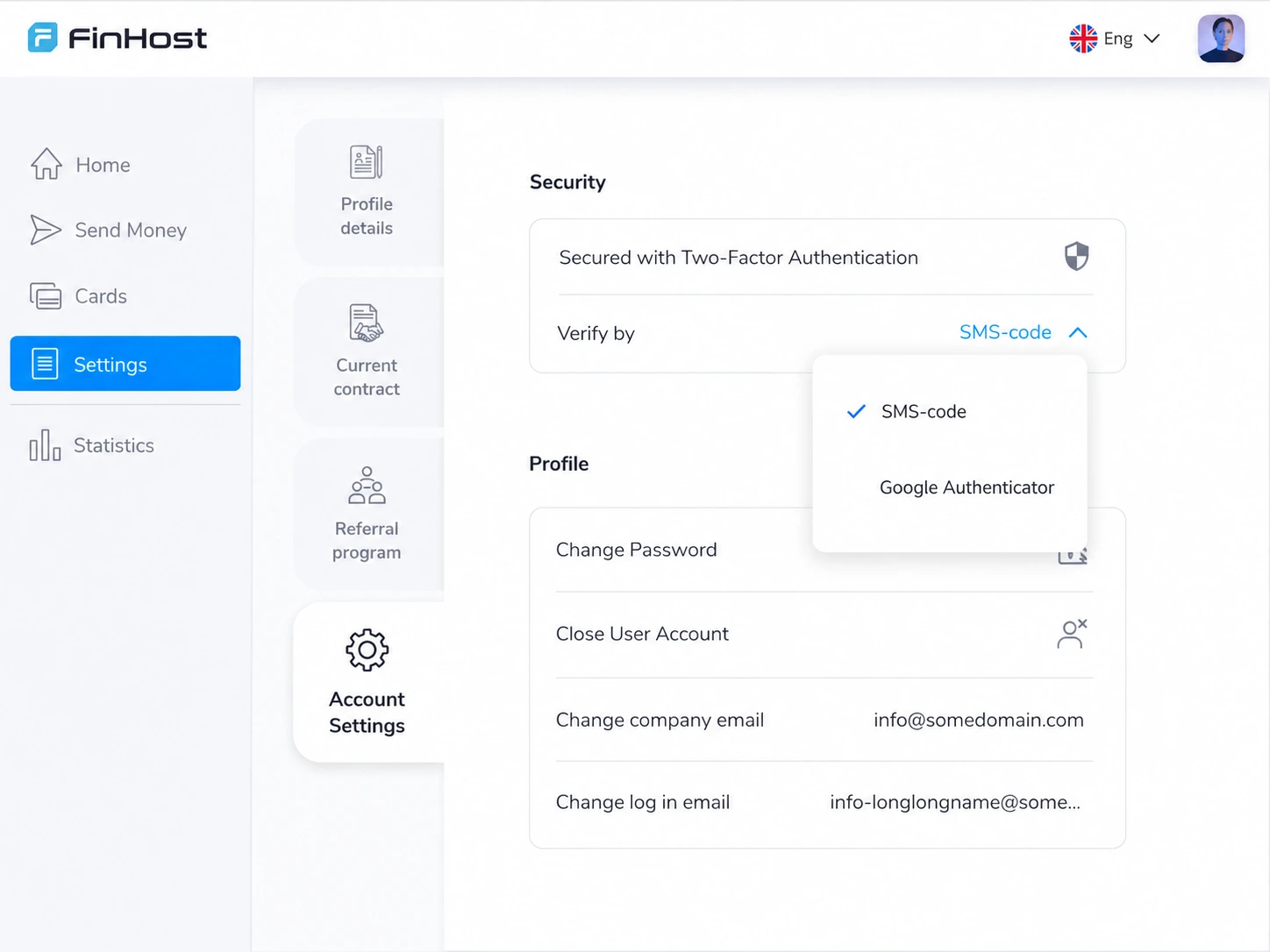
On the web
- Two-factor authentication always on, no disable switch
- Switch between SMS and an authenticator app anytime
- Set up an authenticator app by scanning a QR code

Security & Risk Management
Mandatory, risk-adjusted authentication that protects every customer without adding friction for the ones you already trust.
One policy, two platforms
Security isn’t a copy-paste between web and mobile, each platform gets the setup that makes sense for it.
How protection adapts to risk
The same policy applies to every customer, what changes is how much friction it adds, based on what’s actually known about the account.
Only authenticator-app MFA is available before verification: SMS isn’t offered yet.
Once KYC or KYB is confirmed, full MFA, including SMS, activates automatically.
MFA is required every time. There’s no setting to turn it off.
Customers switch between SMS and an authenticator app any time from settings.
Lost authenticator access is resolved through a guided reset, with support assistance if needed.
Transaction MFA adds a second, push-based confirmation for payments specifically.
Why FinHost
There’s no setting for a customer, or an intruder with a stolen password, to disable authentication. It’s enforced automatically, every time.
CAPTCHA and full MFA scale down automatically for verified customers: the people least likely to be a risk in the first place.
The same rules apply platform-wide, so security posture doesn’t depend on individual customer choices or configuration drift.
Configuration
MFA is mandatory in production by default, with the option to disable it for a staging or demo environment.
SMS-based MFA is only available to verified accounts. Unverified accounts are restricted to an authenticator app.
CAPTCHA protects sign-up and login from automated abuse, and steps aside automatically for verified customers.
Related FinHost modules